
Using Paasa
How to Transfer Stocks from IBKR to Paasa
A step-by-step on how to transfer stocks and ETFs from your standalone IBKR account directly to Paasa.

Abhighyan Sinha

If you already a Interactive Brokers (IBKR) separate from your Paasa account, you can transfer your existing positions straight into Paasa without selling them first.
Here are the steps you need to follow.
Table of contents
- Step 1: Get access to your underlying IBKR account
- Step 2: Log in to your source IBKR account
- Step 3: Go to Internal Transfer
- Step 4: Select the positions to transfer
- Step 5: Share your account details with Paasa
Step 1: Get access to the underlying IBKR account of your Paasa account
Every Paasa account runs on an underlying IBKR account. Here is how you can get access to this underlying account.
- Call IBKR customer service at +91 22 6128 9888 and provide your Paasa account number.
- IBKR will verify your identity and give you a username and a temporary password.
- Log in to the IBKR portal using the username and temporary password provided.
- Set a permanent password.
- Once this is done, you can log in directly.
Note: Direct IBKR account access is read-only.
Step 2: Log in to your source IBKR account
Log in to the source IBKR account, the one you're transferring positions from.
Step 3: Go to Transfer
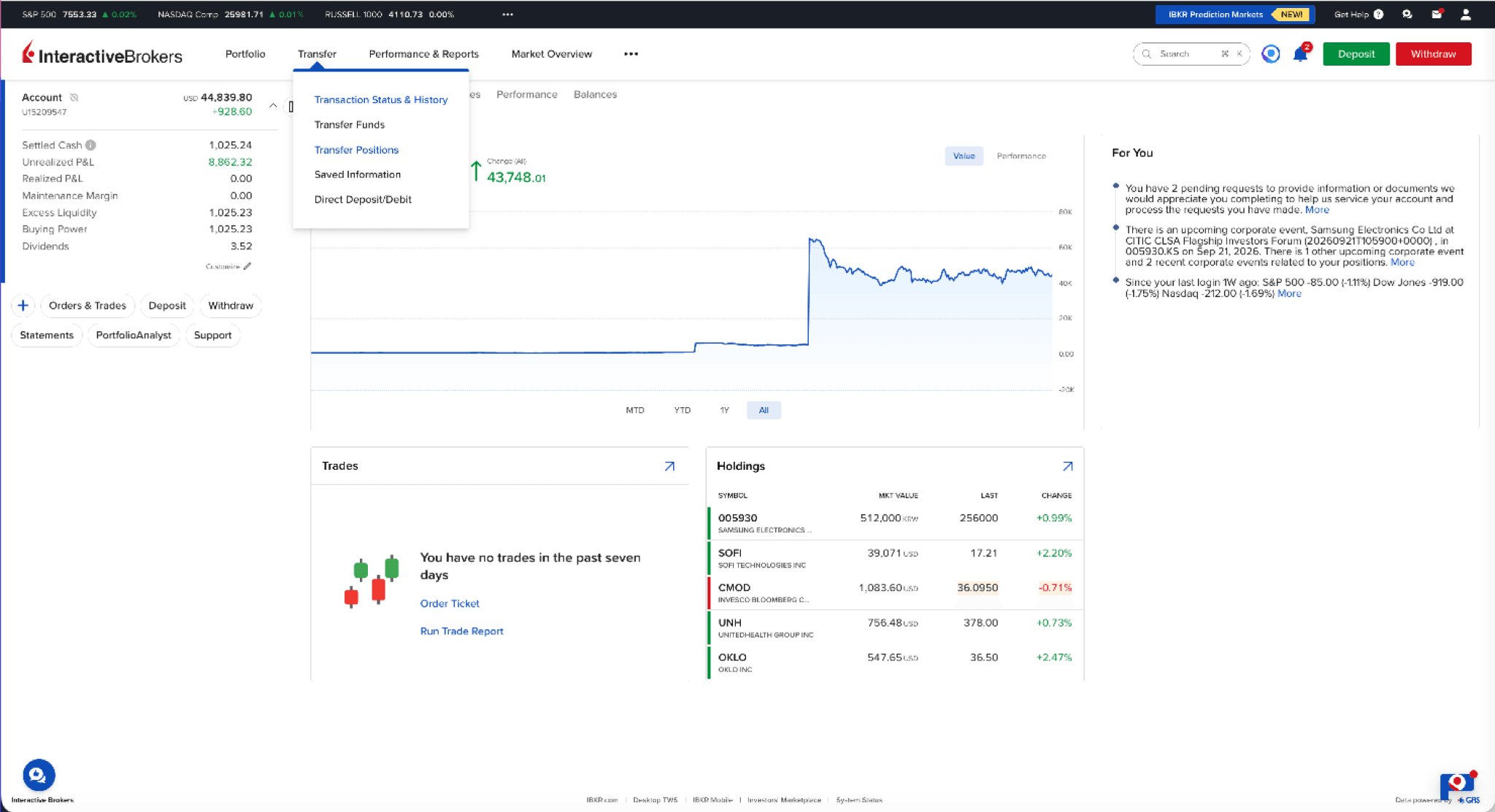
From your account, go to Transfer > Transfer Positions.
Step 4: Select ‘Internal’
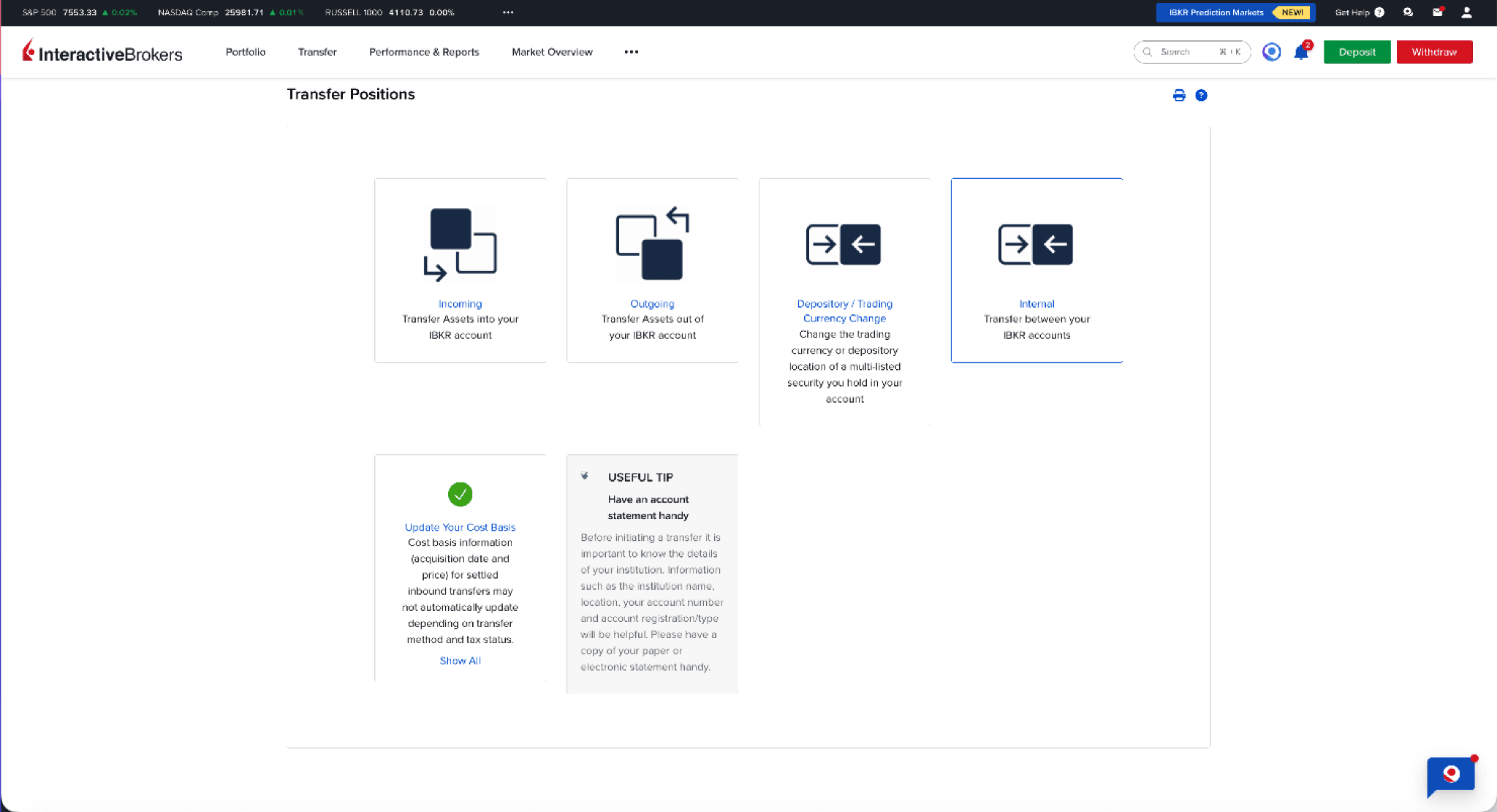
Select ‘Internal’ to transfer between IBKR accounts.
Note - IBKR allows internal transfer only on weekdays.
Step 5: Add the details of your source and destination account
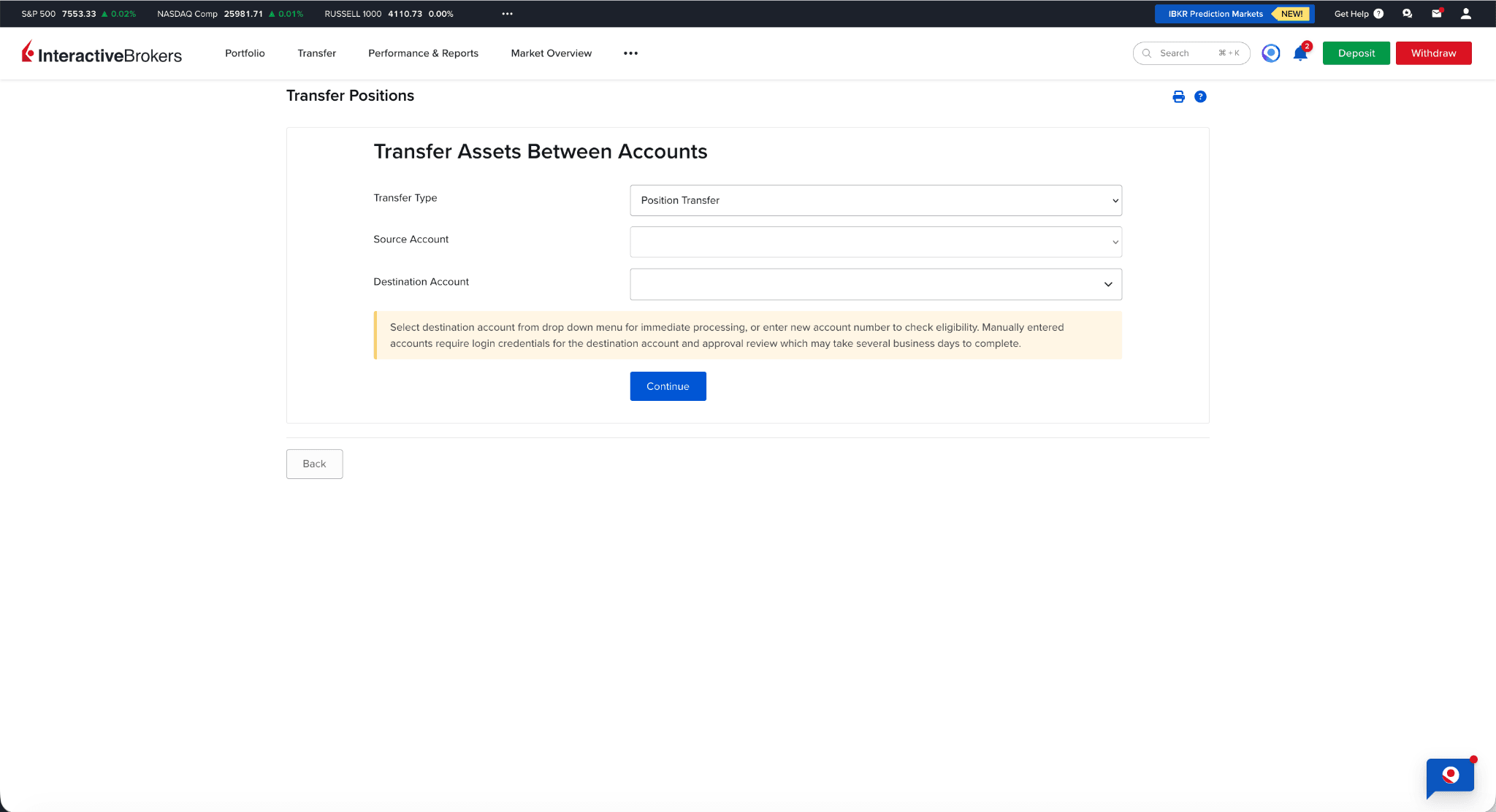
Fill the account number of source and destination accounts.
Note: If your source and destination accounts share the same email address, IBKR will auto-populate the destination account details for you.
Step 6: Select the positions to transfer
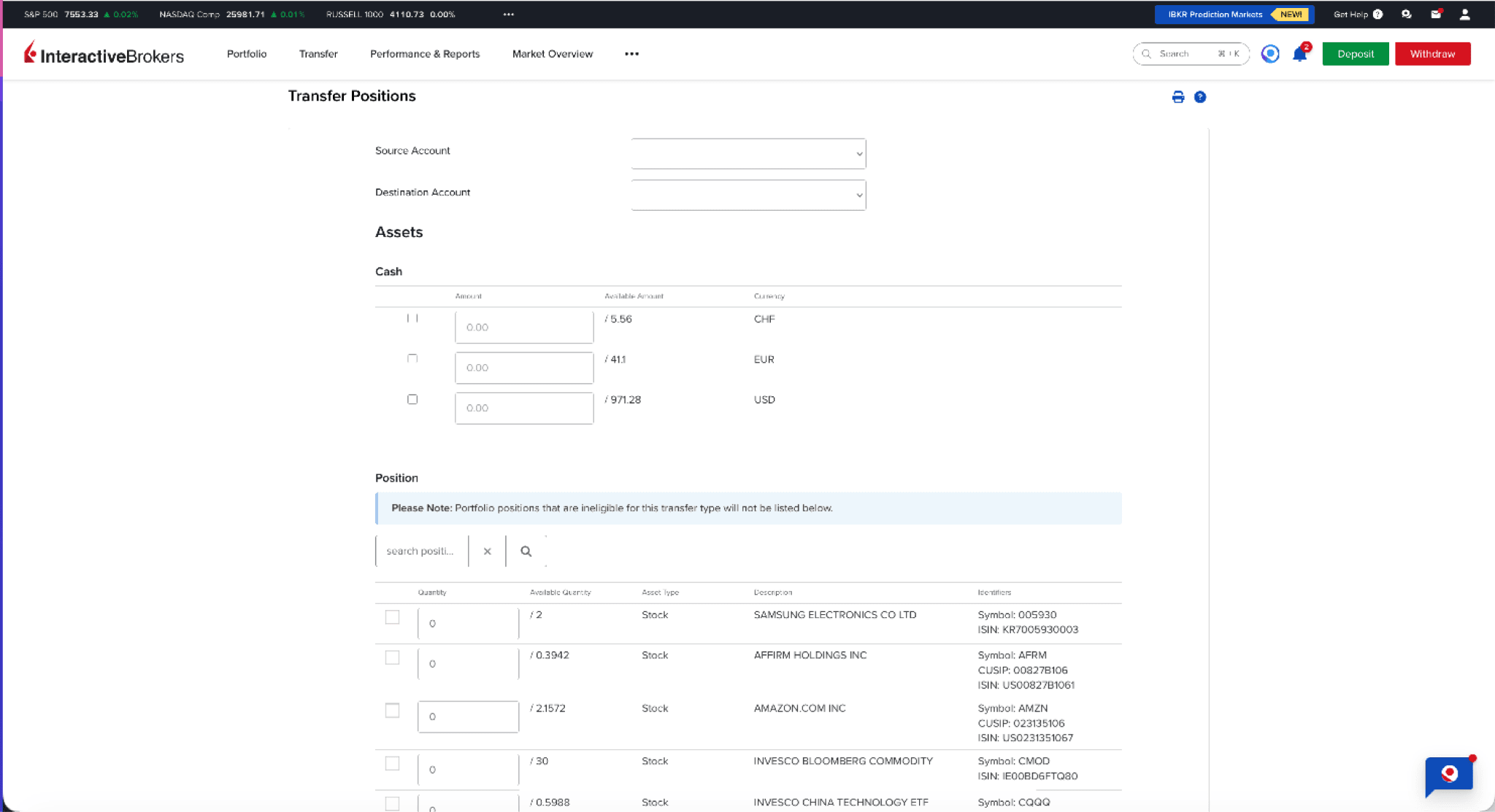
Select the positions you'd like to transfer. IBKR will ask for the account ID and password of the destination account, which is your Paasa-linked IBKR account.
Step 7: Verify your identity
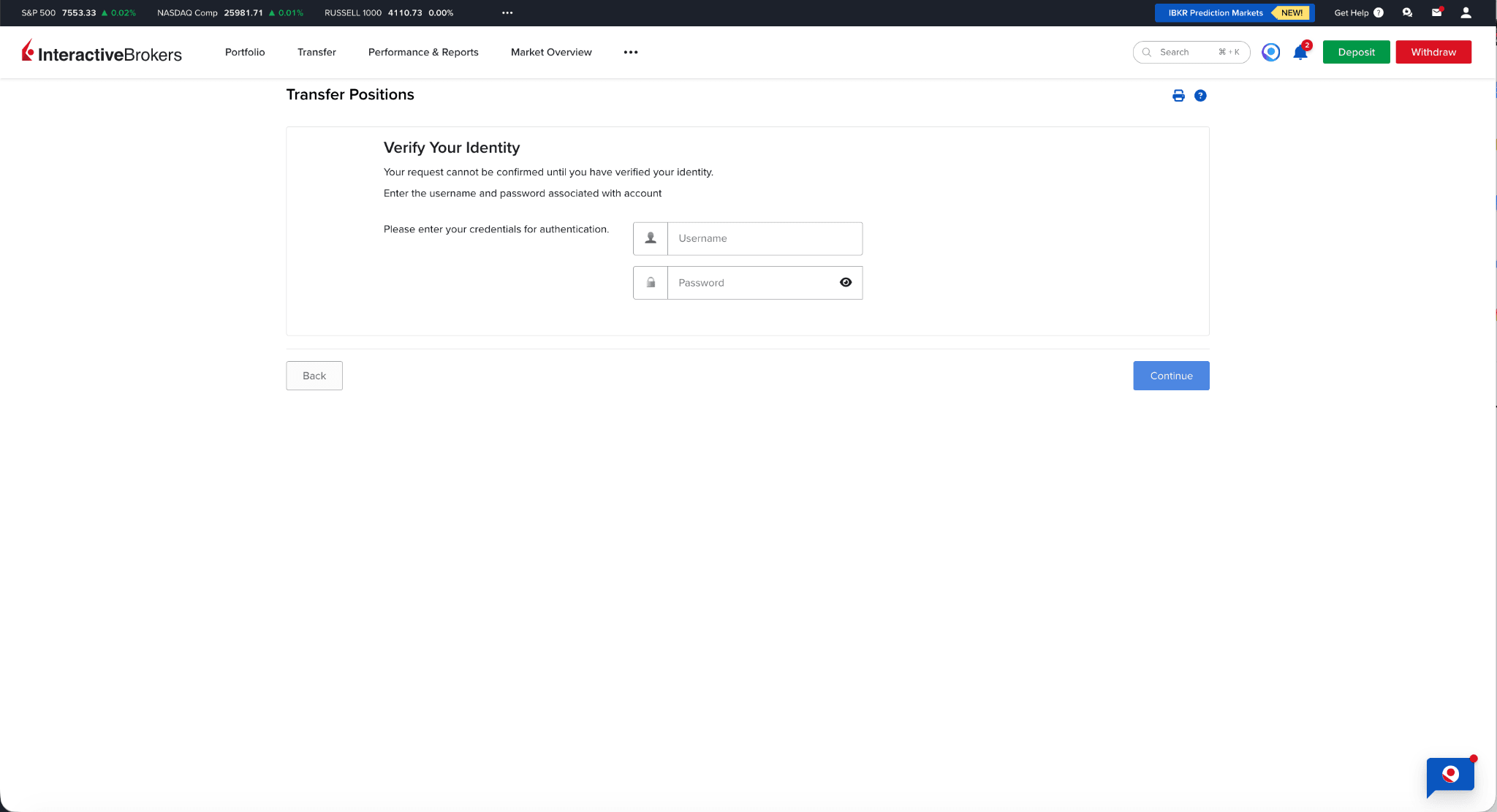
Verify your identity to initiate the transfer.
Step 8: Share your account details with Paasa
Once you've initiated the transfer, let the Paasa team know and share your IBKR activity statement. We'll use this to update your Paasa holdings and portfolio data accordingly.
A note on timing
Internal transfers can only be processed on weekdays.
Need Assistance?
If you'd like our team to walk you through the process or have any questions around tax or compliance, reach out at support@paasa.co.
About Paasa
Paasa is a global investing platform built specifically for Indian residents and returning NRIs. We provide direct access to over 10 global exchanges, including the United States, United Kingdom, Switzerland, Hong Kong, Germany, France, Canada, Netherlands, Japan, and Singapore, and support 9 global currencies.
Seamless "In-Kind" Transfers (ACATS): You can move your entire US stock portfolio (from brokers like Robinhood, Schwab, Fidelity, E*TRADE, and more) directly to Paasa. This allows you to consolidate your assets in one place without triggering a tax event.
The Compliance Advantage: Paasa provides the exact reports you need for your Indian tax returns and foreign asset disclosures, eliminating the need for manual calculations.
Estate Tax Protection: Paasa offers access to Ireland-domiciled (UCITS) ETFs, allowing you to legally shield your long-term investments from the 40% US Estate Tax that applies to non-residents.


Invest in global markets from India

Discussion
Disclaimer
The information provided in this post is for general informational purposes only. It is not intended as professional advice or to replace consultation with qualified professionals. While we strive to ensure the accuracy and reliability of the information presented, we make no representations or warranties of any kind, express or implied, about the completeness, accuracy, reliability, suitability, or availability with respect to the content contained herein. Any reliance you place on such information is therefore strictly at your own risk. We disclaim any liability for any loss or damage, including, without limitation, indirect or consequential loss or damage, or any loss or damage whatsoever arising from loss of data or profits arising out of, or in connection with, the use of this post. Always seek the advice of professionals or relevant authorities regarding your specific situation or circumstances.